Resolving the “Invalid Gaming Services” Error in Forza Horizon 6 on PC
Unlocking Your Forza Horizon 6 Experience: A Simple Fix for Gaming Service Issues
Understanding the "Invalid Gaming Services" Notification in Forza Horizon 6
Many PC users attempting to launch Forza Horizon 6 have encountered a persistent error message stating "invalid gaming services." This issue is not isolated and affects a significant number of players, regardless of whether they access the game via Steam or the Xbox application. It represents a new challenge that has not been widely observed in other game titles, prompting the need for a specific resolution.
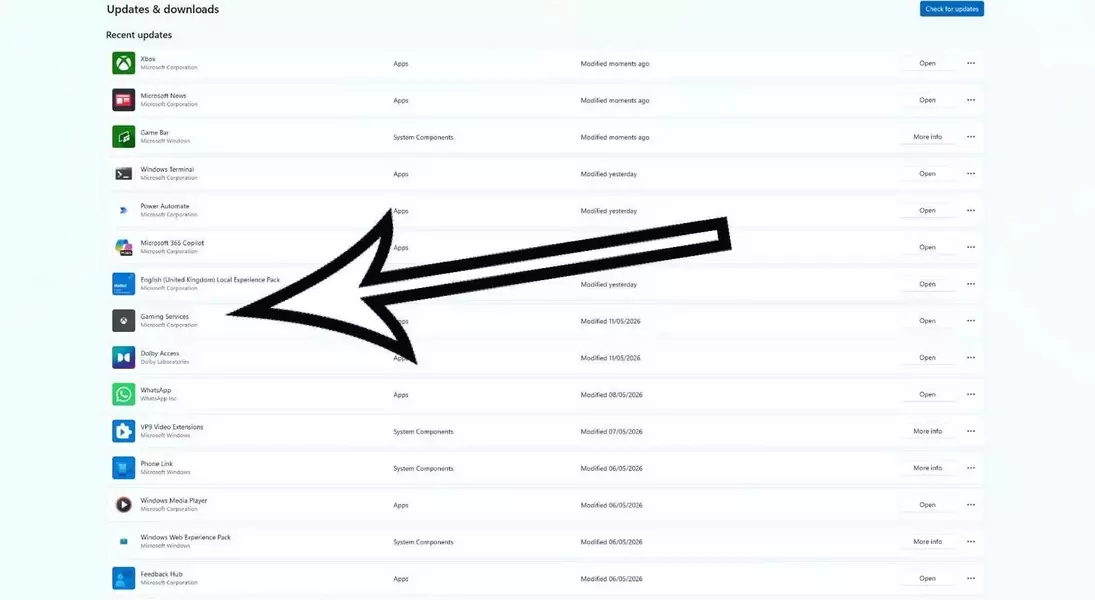

The Essential Step to Gaming Service Restoration for Forza Horizon 6 on PC
The primary method for rectifying this error involves ensuring that your device's "Gaming Services" component is thoroughly up-to-date. This process is straightforward and typically resolves the problem, allowing players to return to their racing adventures without further interruption.
Navigating the Microsoft Store to Update Gaming Services
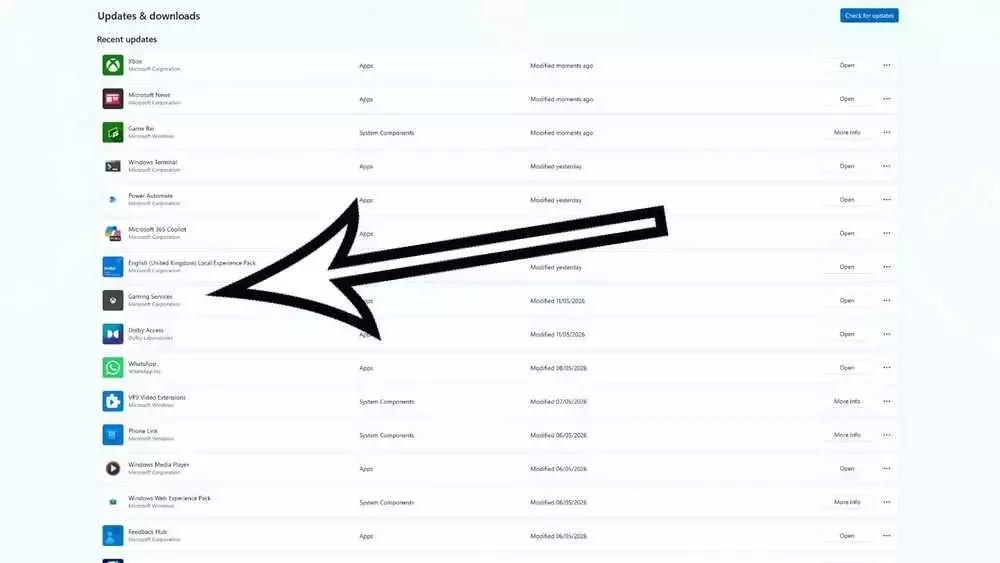
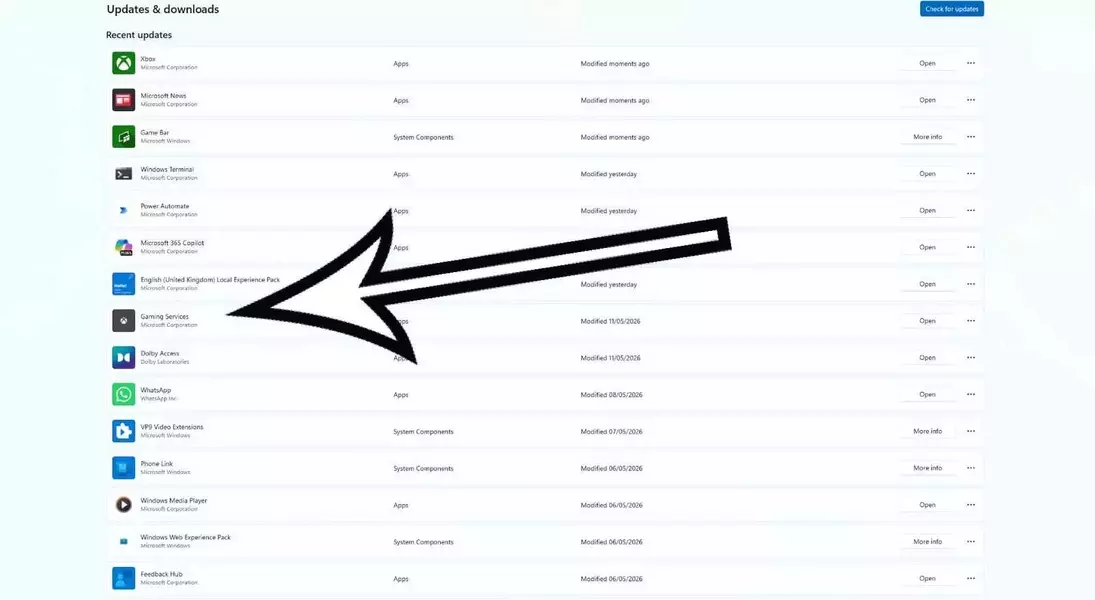
To begin, locate and open the Microsoft Store application from your taskbar. Once the store is open, navigate to the "Downloads" section, usually found in the bottom left corner. From there, select "Check for updates" in the top right. A list of available updates will appear. Identify "Gaming Services" within this list and click the "update" button to initiate the update process.
Addressing Scenarios Where Gaming Services Updates Are Not Visible or Installed
Should the "update" button for Gaming Services not appear, it indicates that you are already utilizing the most current version. However, if Gaming Services is entirely absent from your update list, you must acquire it directly from the Microsoft Store. For Forza Horizon 6 to operate correctly, your Gaming Services version must meet or exceed 36.113.2002.
Final Steps to Guarantee an Uninterrupted Forza Horizon 6 Gameplay
Upon successfully updating or installing Gaming Services, the "invalid gaming services" error should no longer impede your ability to play Forza Horizon 6. If issues persist despite these measures, additional support resources are available directly through the official Forza support channels to assist with more complex troubleshooting.